Motrix v1.4.x Release Note
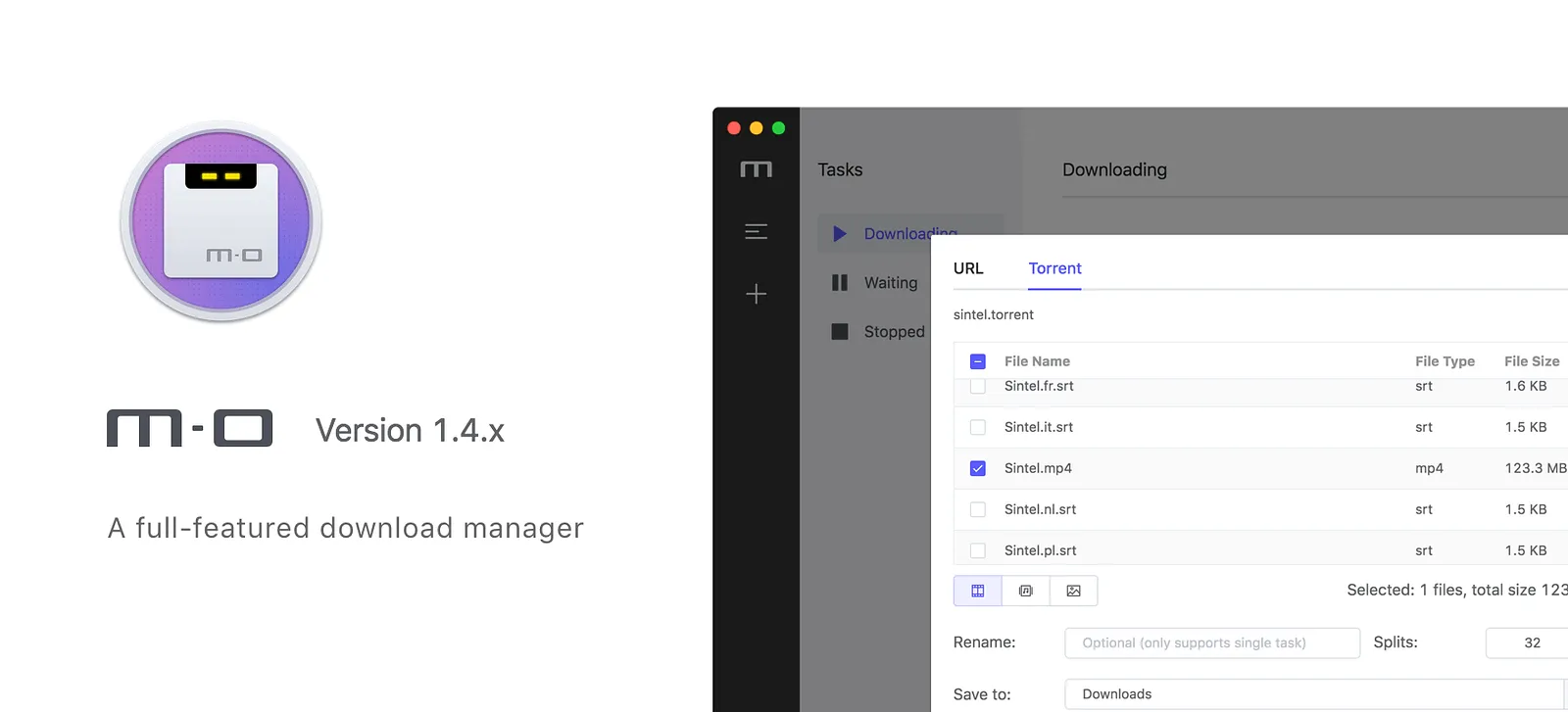
Motrix v1.4.x has arrived and with the latest release we’ve improved download task management and added some new preferences. Here’s an overview of the headline features in the latest update:
- Selective BT download
- Manually stop BT task seeding
- Resume download failed task
- Startup automatically at login
- Restore size and position of window to the last time it exited
- Speed limit settings
- RPC authorization secret token
- Manage protocol’s default client
- Don’t need to restart app after configuring preferences
Selective BT download
This has been one of our most requested features since we released Torrent Association back in Motrix v1.2.x.
I found that most of aria2 GUI did not provide this feature, although aria2 has supported this option when added tasks.
The UI refer several popular BT clients. When you add a torrent task, all files are selected by default.
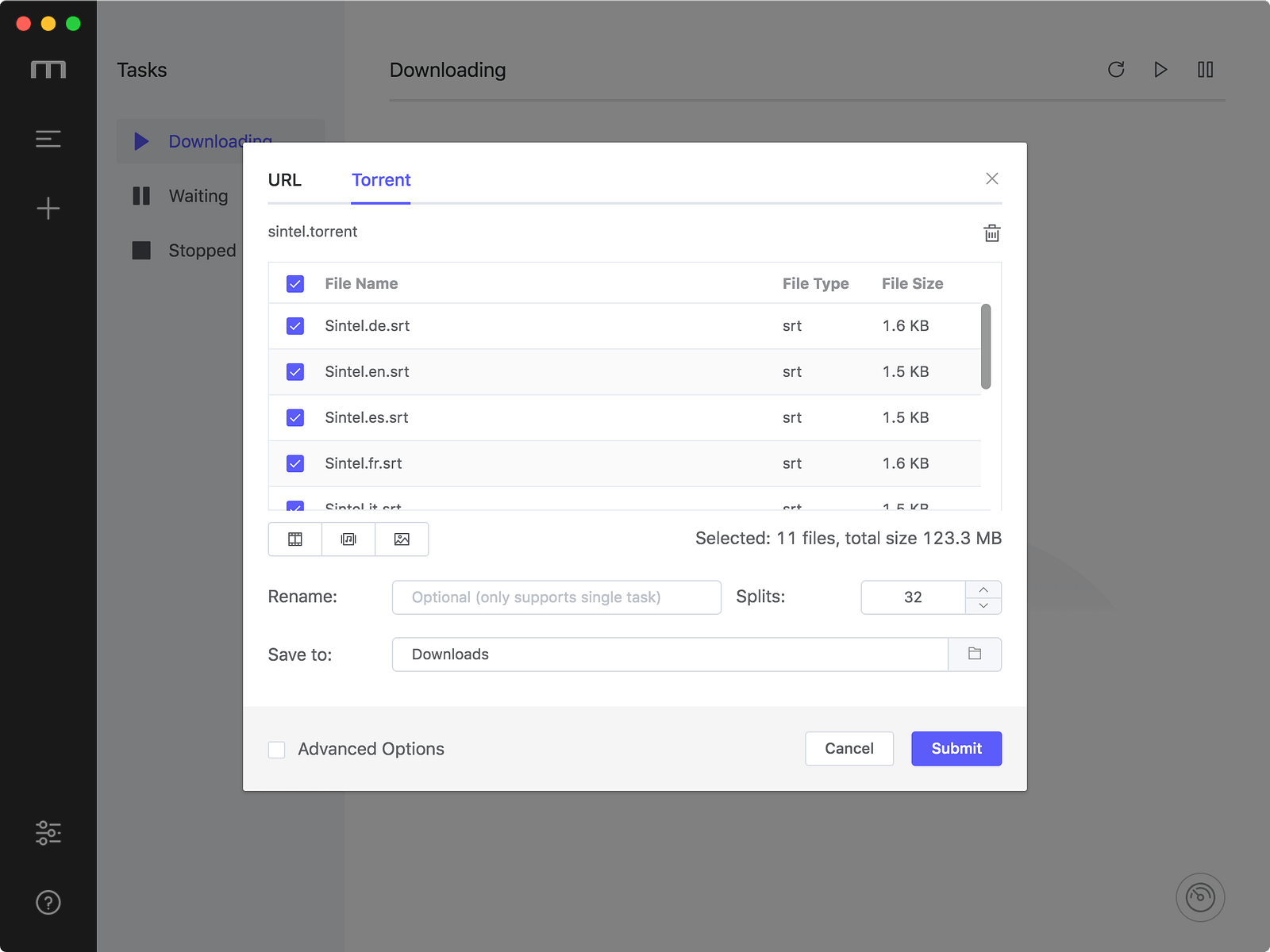
All files are selected by default
You can quickly select the file you need to download by clicking on the resource type in the lower left corner of the file list, such as selecting only videos or images.
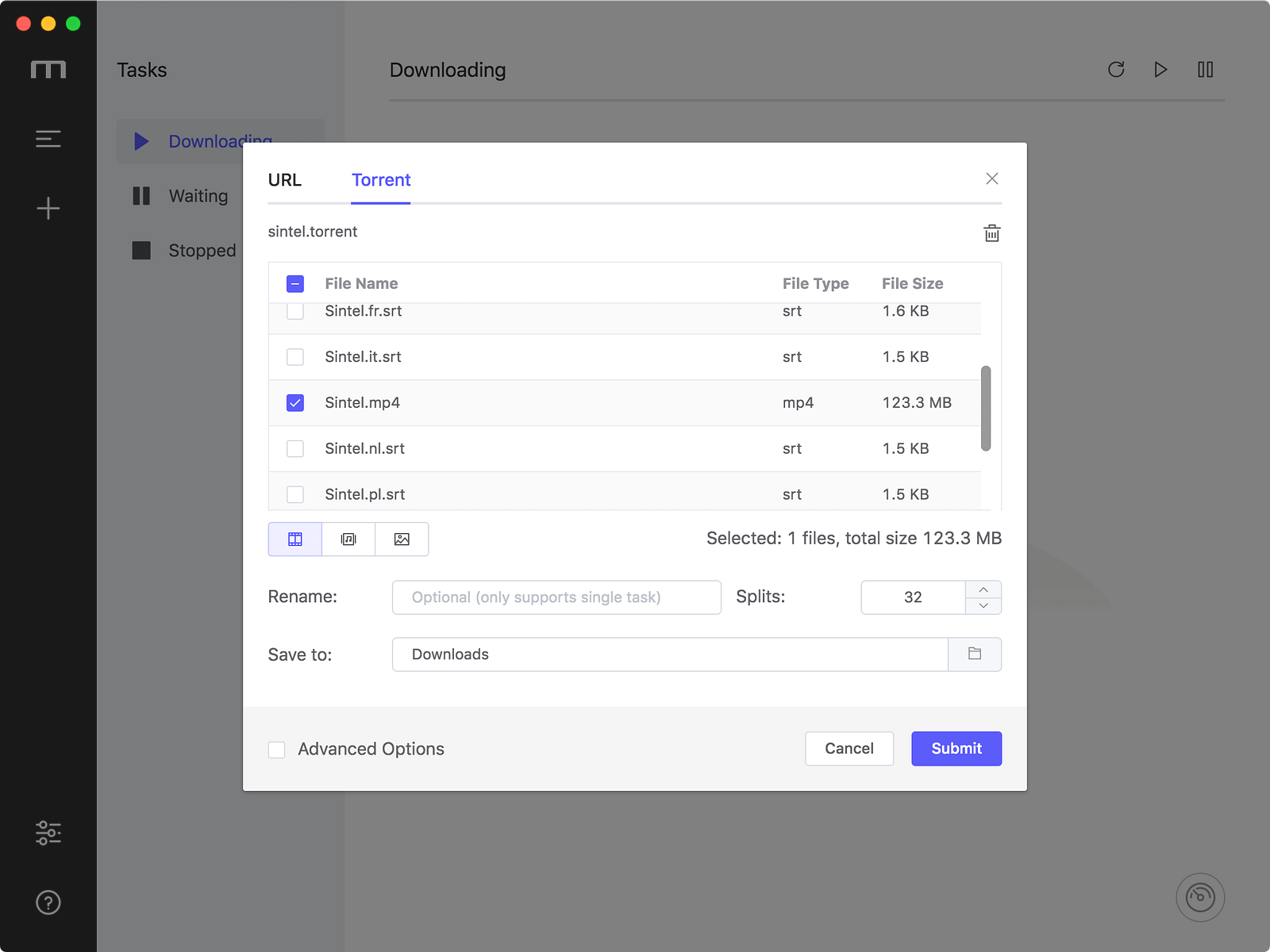
Select videos quickly
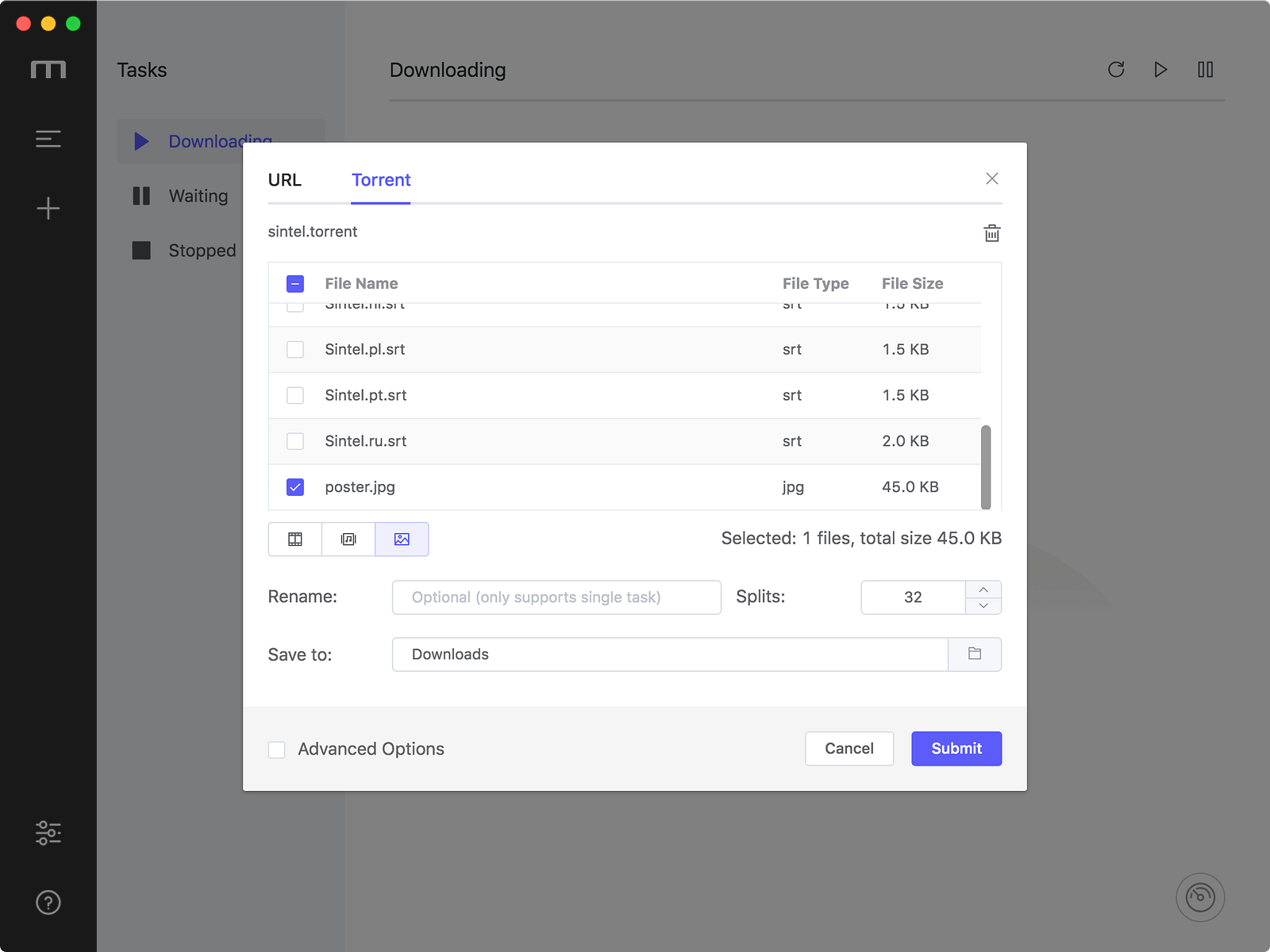
Select images quickly
PS. There is a doubt here. When I downloaded the BT task, I founded that some files that didn’t select were also downloaded. After reviewing the documentation, I found it was the intention of the aria2 author.
aria2c(1) - aria2 1.34.0 documentation
In multi file torrent, the adjacent files specified by this option may also be downloaded. this is by design, not a bug. A single piece may include several files or part of files, and aria2 writes the piece to the appropriate files.
After the BT task download is complete, Motrix will automatically removes the unselected files.
The download completed BT task item’s action bar has added the “Stop” button, which can manually stop seeding.
Resume Download failed task
Thanks for axer0910’s advice #293, New version Simply optimize the Download error prompt, click on the link on the error message bar to open the Error Code document.
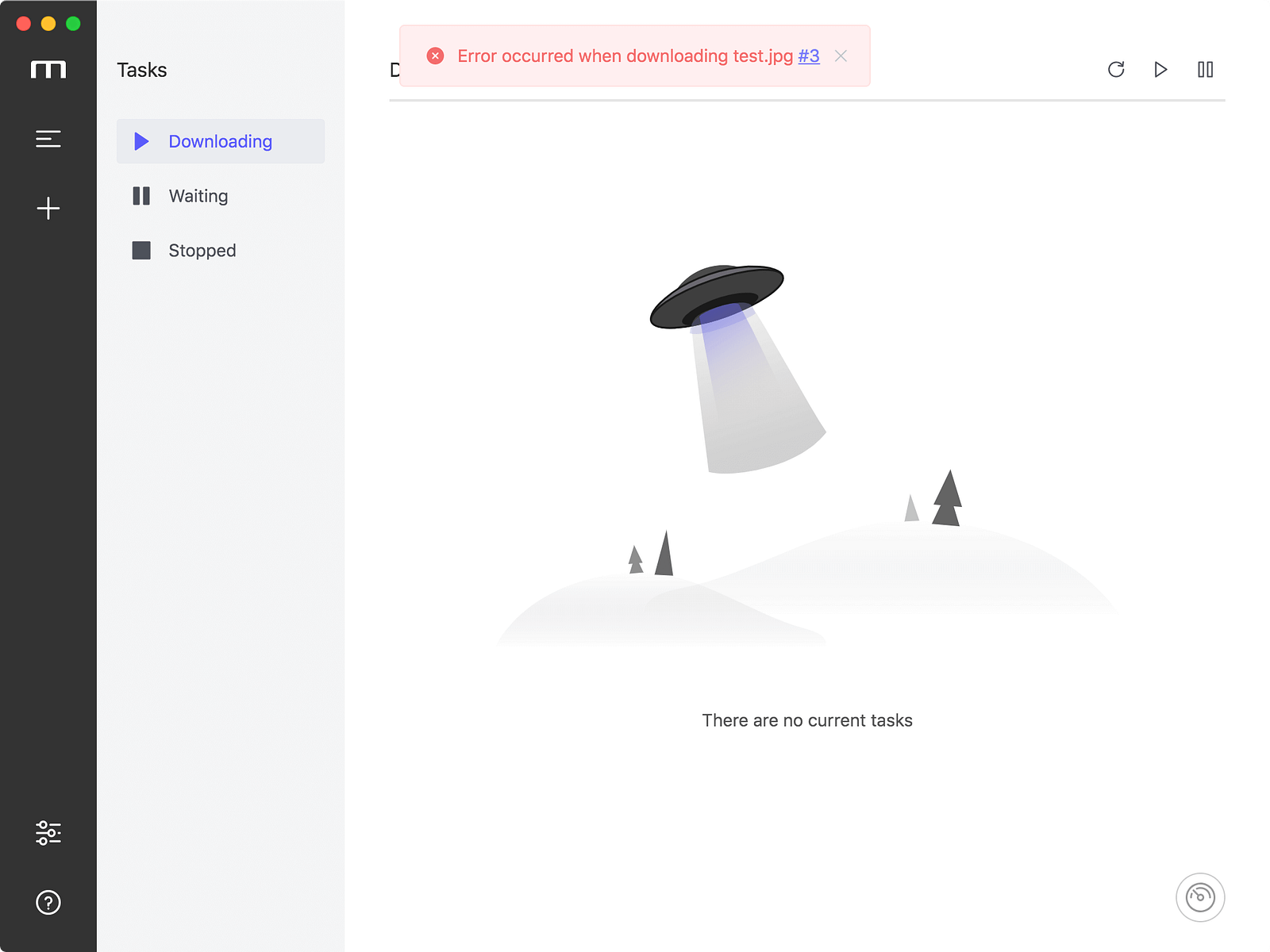
Message bar with Error Code
The download error task click the “Resume” button on item action bar, the task will be re-added directly.
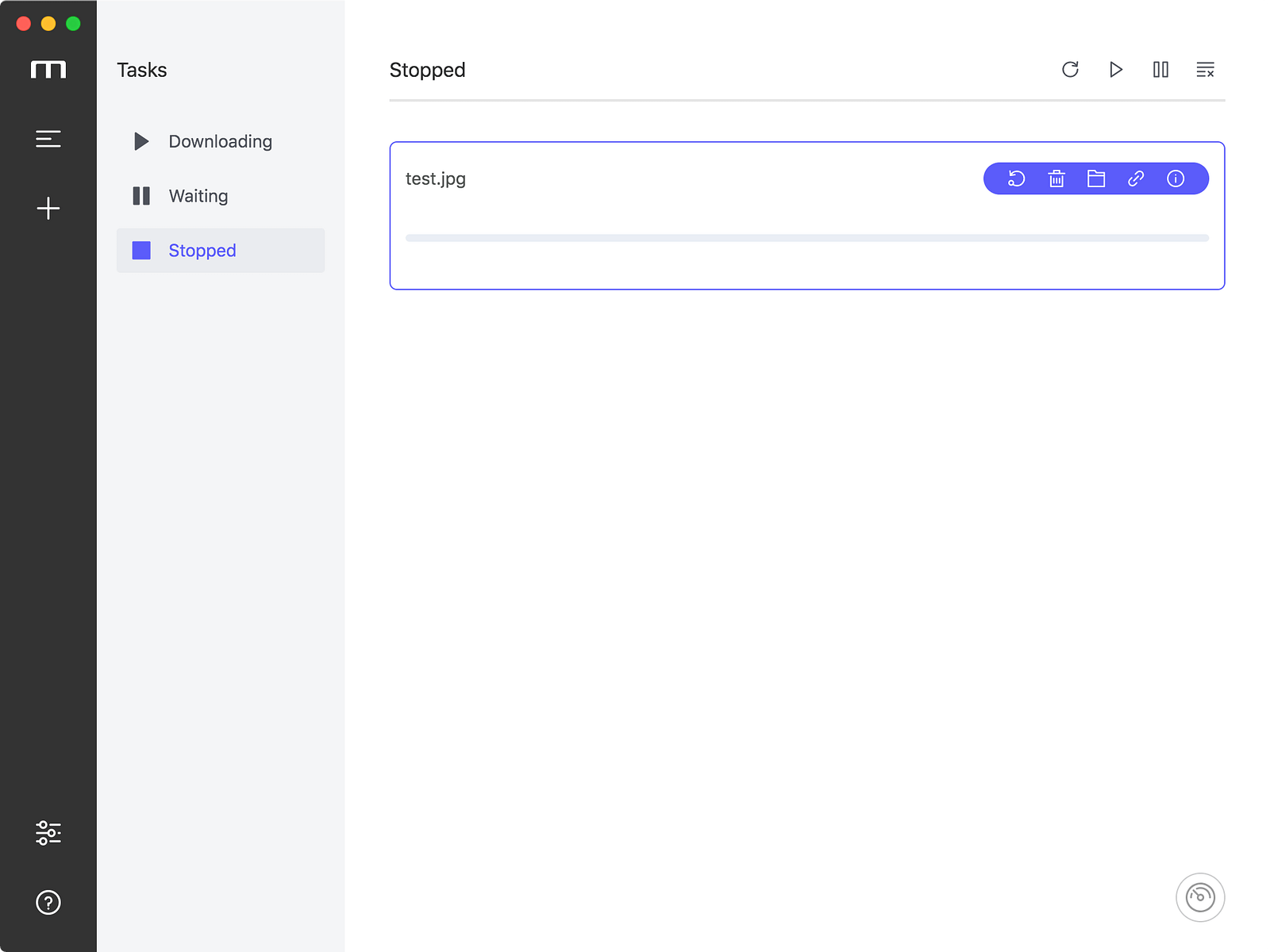
Resume stopped task
If you hold the keyboard key “Alt (options)” and click the “Resume button”, the Add Task Dialog will appear. If you click the “Resume” button of a download completed task, the Add Task Dialog will appear by default to prevent mistakes.
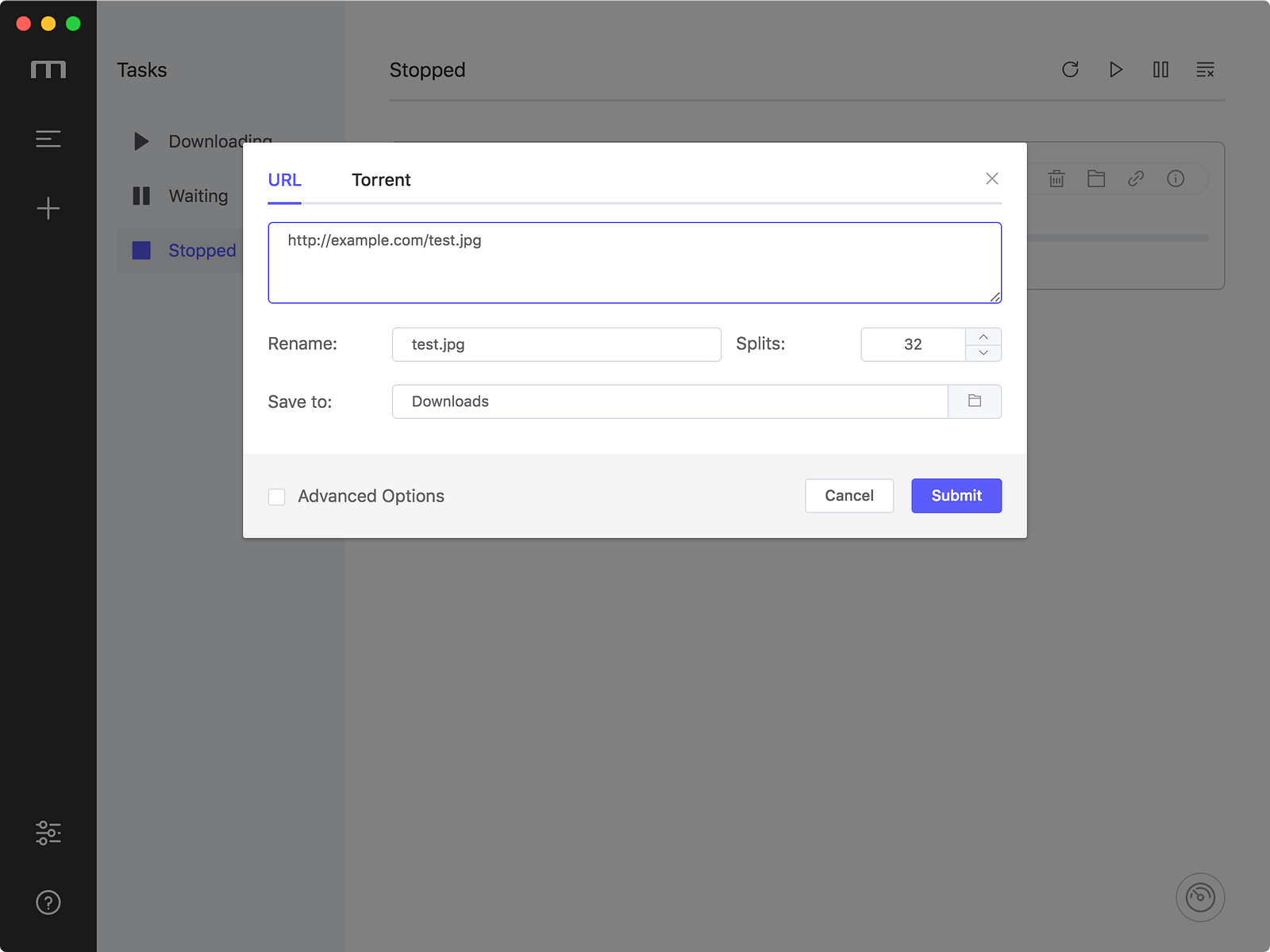
Add Task Dialog
You can modify the parameters before submitting, such as replacing the expired resource address.
Startup automatically at login
The new version supports launching the app automatically at login with a minimized window. Turn on in Preferences — Basic — Startup — Open at login
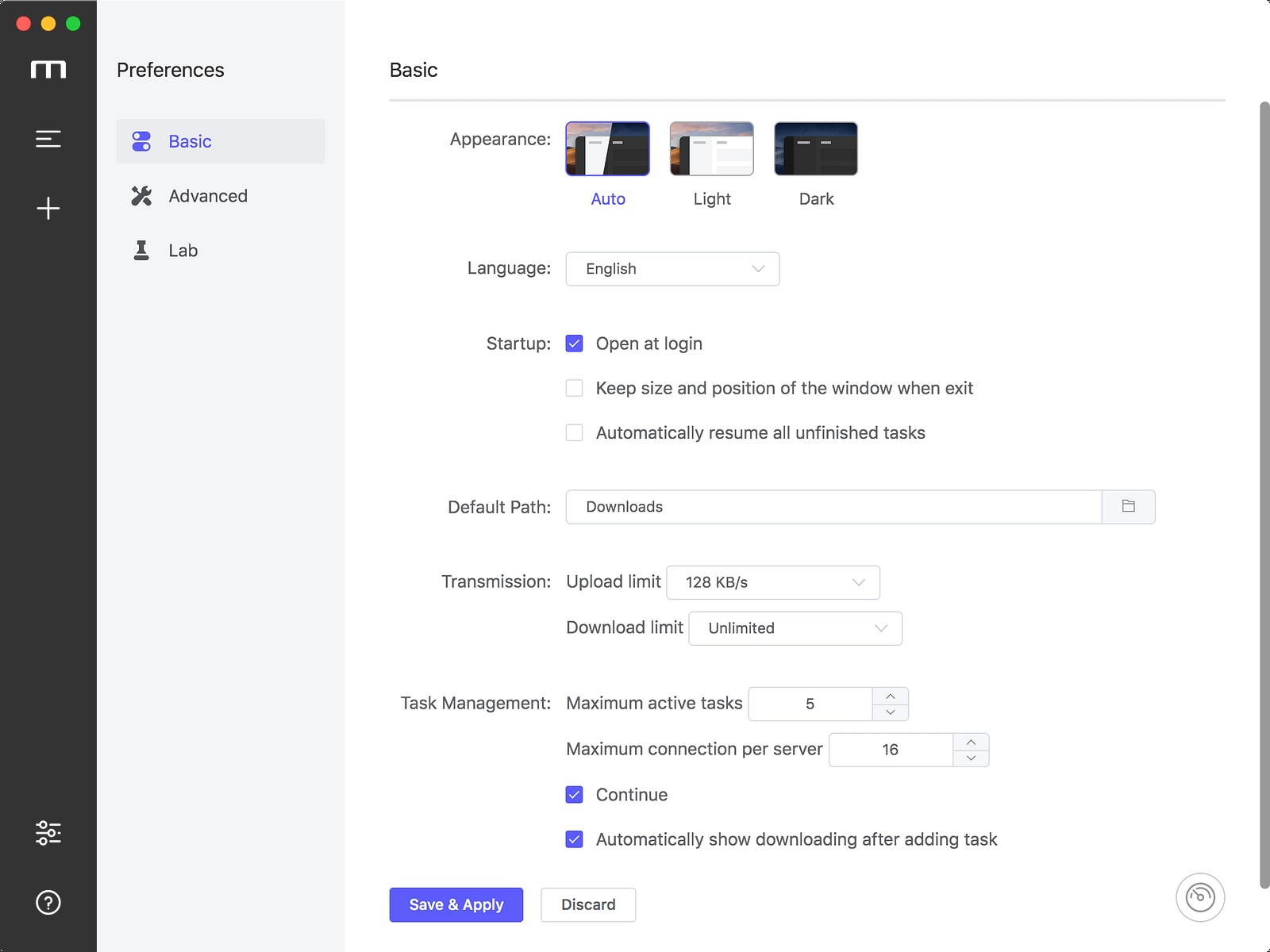
Open at login
Restore the size and position of the window to the last time it exited
After turning this setting on, adjust the window’s size and position to the style you like, and Motrix will remember it.
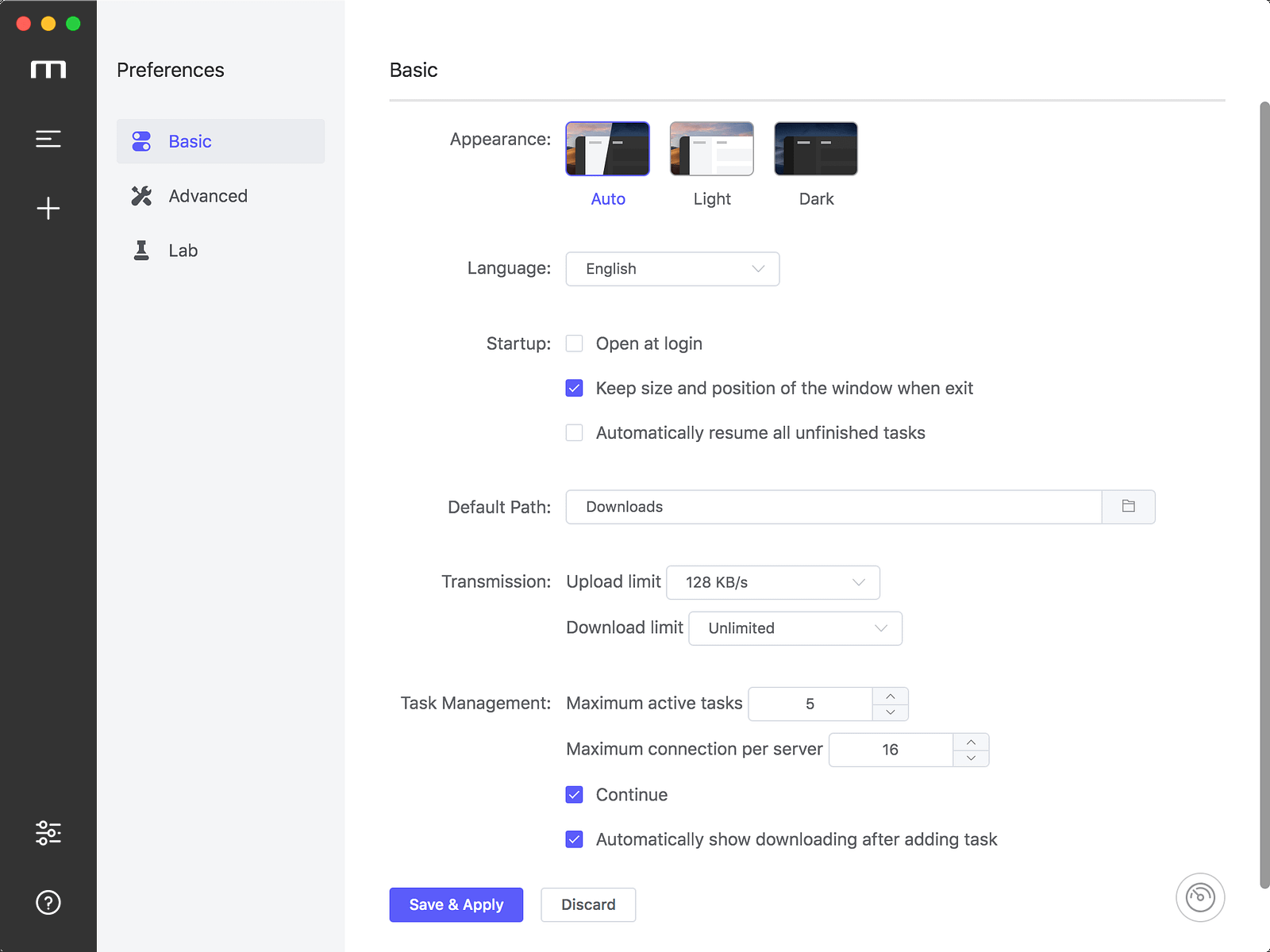
Keep size and position of the window when exit
Speed limit settings
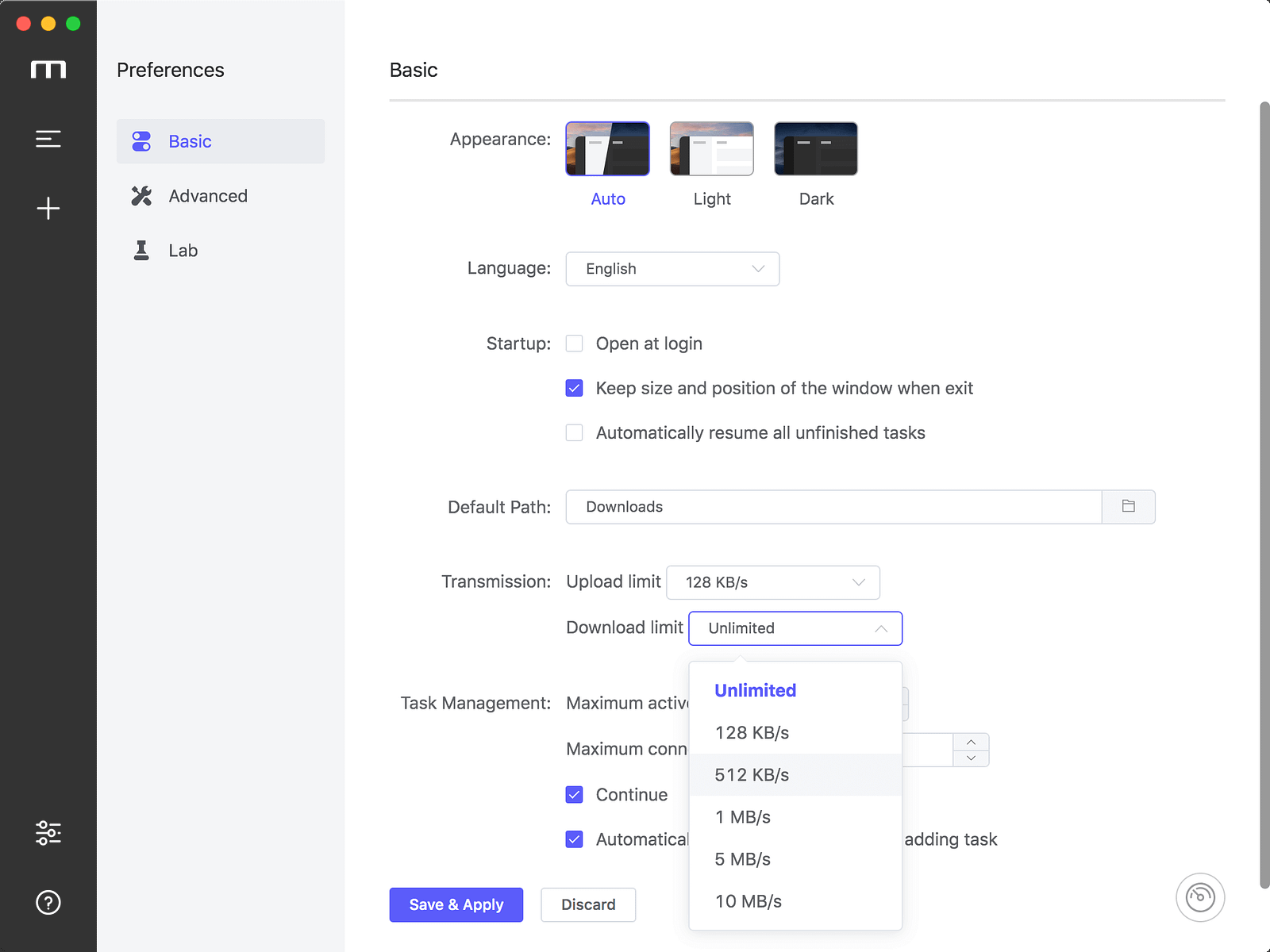
Thanks to Jjandxa for contributed speed limit settings #292. I made some simplifications and adjustments on his basis. You can find speed limit settings in “Preferences — Basic — Transmission” to setup upload speed limit and download speed limit.
RPC authorization secret token
Setting the RPC authorization secret token can improve the security of Motrix. After modifying the secret, you need to modify related browser extensions, such as Baidu Exporter and YAAW for Chrome’s JSON-RPC address.
It is recommended to use the dice button appended of the input to generate a strong password. Motrix will automatically copy the JSON-RPC address in the following format to your clipboard:
http://token:uYqR9TCppJiE@127.0.0.1:16800/jsonrpc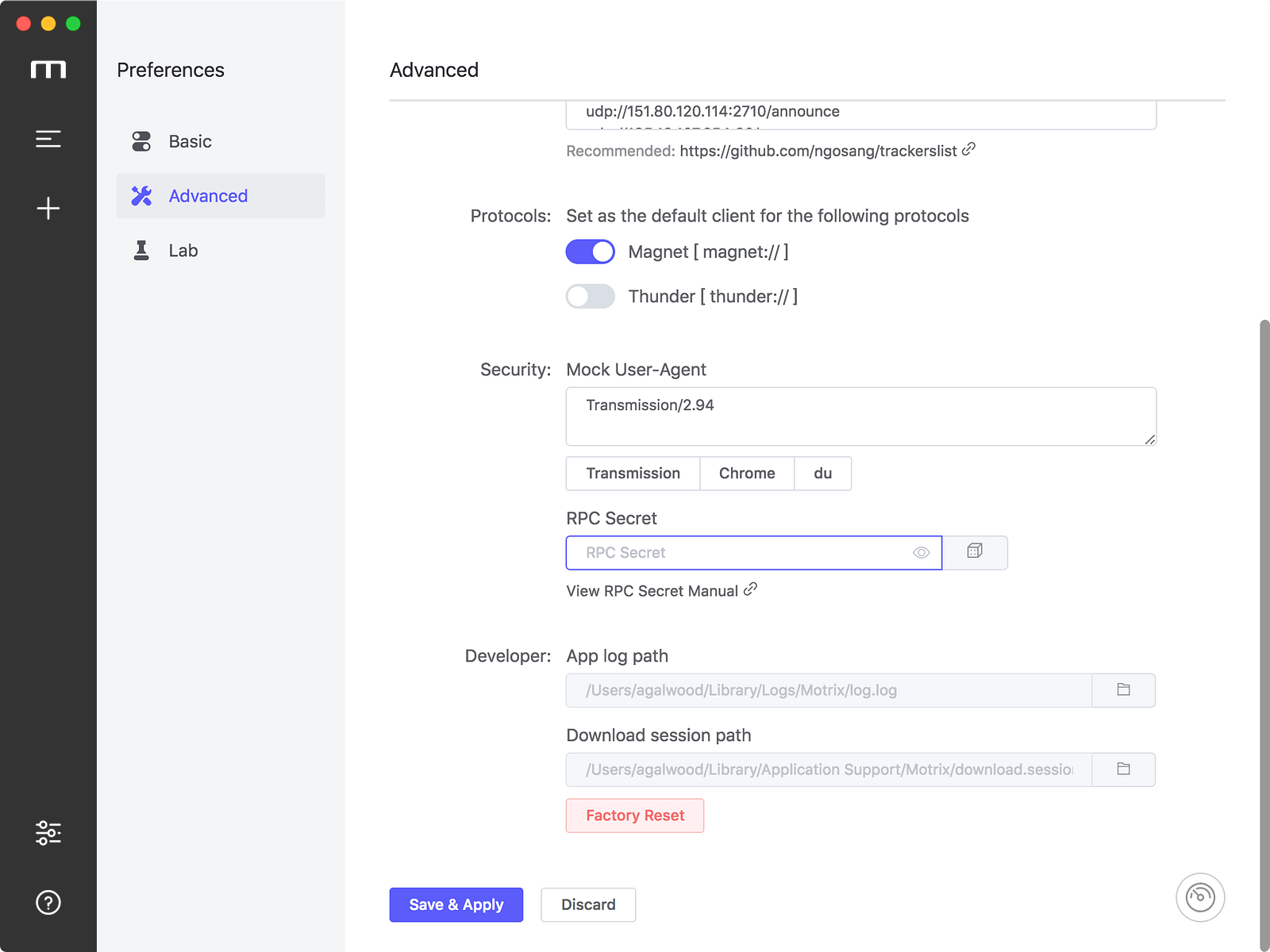
RPC Secret
Manage protocol’s default client
Motrix v1.3.x intercepts Magnet links by default and cannot be adjusted.
You can set Motrix as the default download client for Magnet links or Thunder links at v1.4.x. The settings are also in Preferences — Advanced Settings, as shown above.
Thanks to theweavrs for participating in the development of this feature #308
Don’t need to restart app after configuring preferences
This new feature prevents you from interrupting the download by changing the preferences to restart the application : )
Other updates
Thanks gee1k for optimizing the problem of button click trigger when the application window is DnD #295 (recording the comparison gif before and after the modification)
Originally prepared to upgrade Electron to version 5.x, I founded that there were some problems with Electron 5.x rendering, such as:
- When using WeChat screenshots, the white screen is applied and the application window size cannot be automatically recognized (it is normal when using QQ screenshots)
- The window will be temporarily White during the window restore (Compared with the Electron 4.x version, the white screen is obvious)
So I reverted Motrix’s Electron back to the 4.x version : (
Thanks HarukaMa for reminding me that the new version adds a link to the open source license in About Panel.
The birth of Motrix is inseparable from the following third-party open source software: Electron, Electron-builder, Electron-vue, Vue, Element, Aria2 etc.
Thanks all contributors who has contributed to the open source community.
More
For more information on Motrix, please follow to GitHub repo and official website updates.
GitHub Repo: agalwood/Motrix
Official website: https://motrix.app/